
Valuation report checker and peer review Checked, reviewed, then released.
The checker reads each report before review and lists what is wrong. A second valuer approves that exact file. A report goes out only when every gate is clear for the file the client receives.
What to look at
- No BLOCK from the checker on this file
- The approved file is this exact file
- Paid, or an exception with a reason
- Client, address and purpose match the job
A real screen from Valufield, shown with an invented firm. Nothing is mocked up.
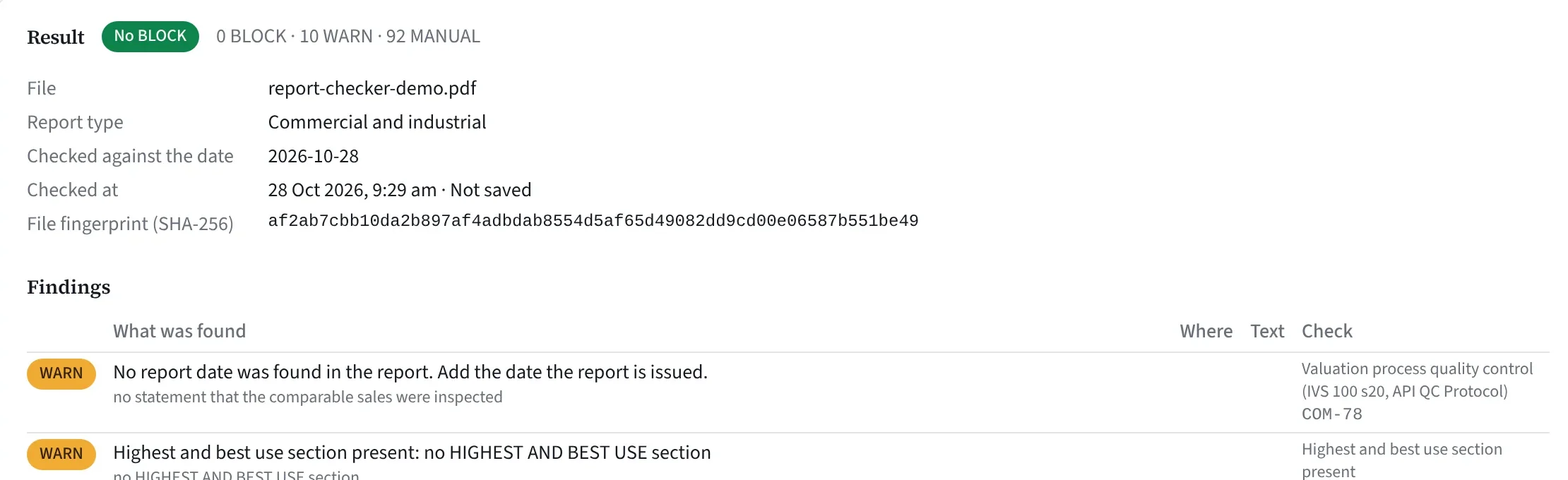
Read before review.
It lists template text left in, dates and sums that do not add up, stale phone numbers, withdrawn standards, a missing declaration and one address written two ways.
138 common checks
89 run fully by themselves, 37 in part and 12 are left to the peer reviewer.
Your type, your firm
Plus checks for the report type, and for your firm’s own names, ABN, phones, addresses and valuers.
On our own server
No AI service sees your report. A check that cannot finish returns a BLOCK, never a pass.
A BLOCK means stop
A BLOCK stops the job going to peer review or release, and nobody can override it.
Good to know: the checker checks wording and consistency, not whether a valuation is correct. Its checks came from a working firm’s NSW practice, and the firm checks do nothing until your settings are in.
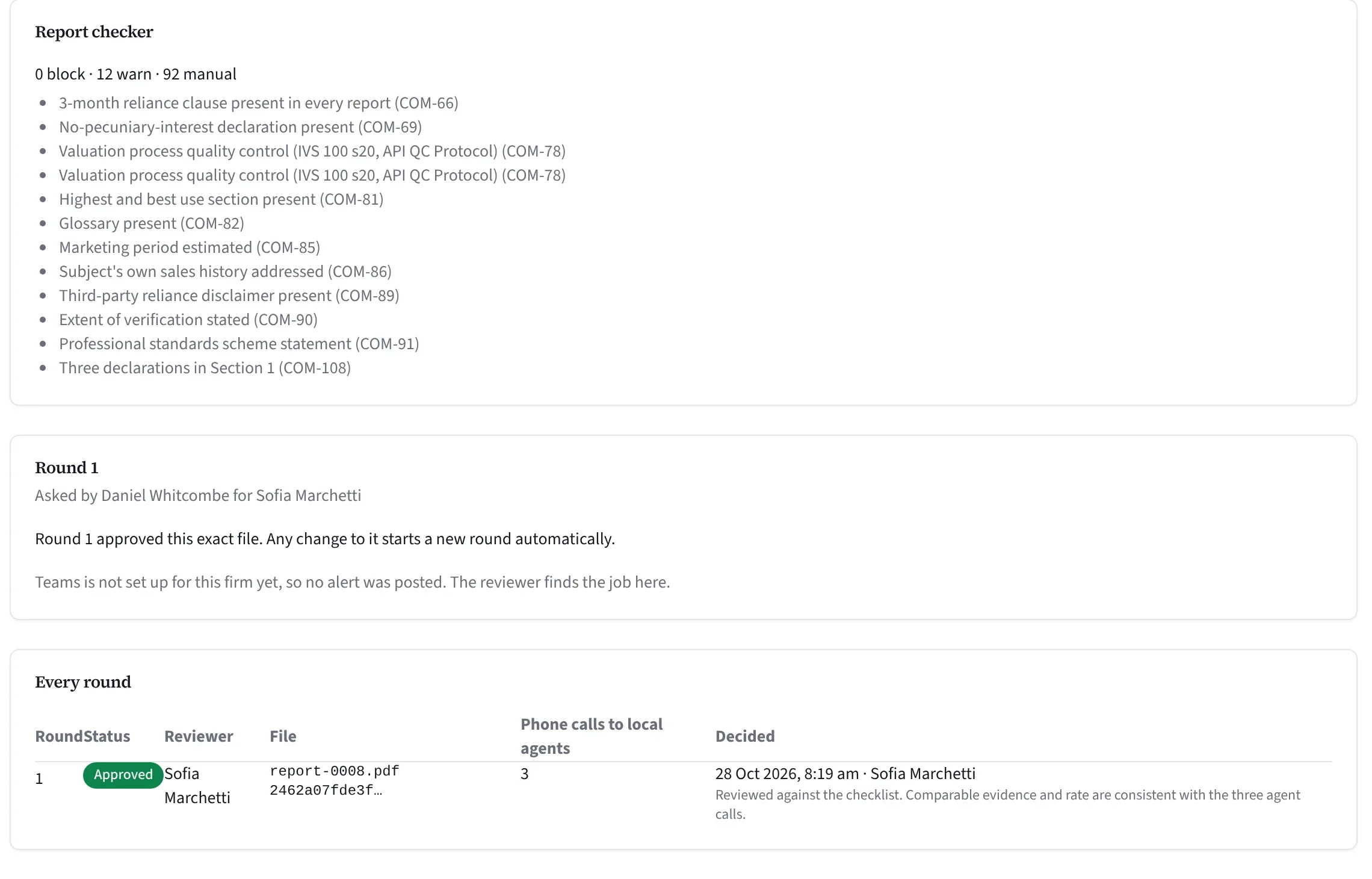
A second valuer, one exact file.
The reviewer is never the valuer with carriage or the person who asked, and nobody approves their own round.
Record the file
The valuer records the finished file. Its fingerprint is worked out on the valuer’s own computer; the file is not uploaded for this.
Review and call
The reviewer works through a checklist and records at least three calls to local agents about the evidence. Your firm can ask for more.
Approve that file
Record a different version afterwards, even one letter, and the approval ends and a new round opens.
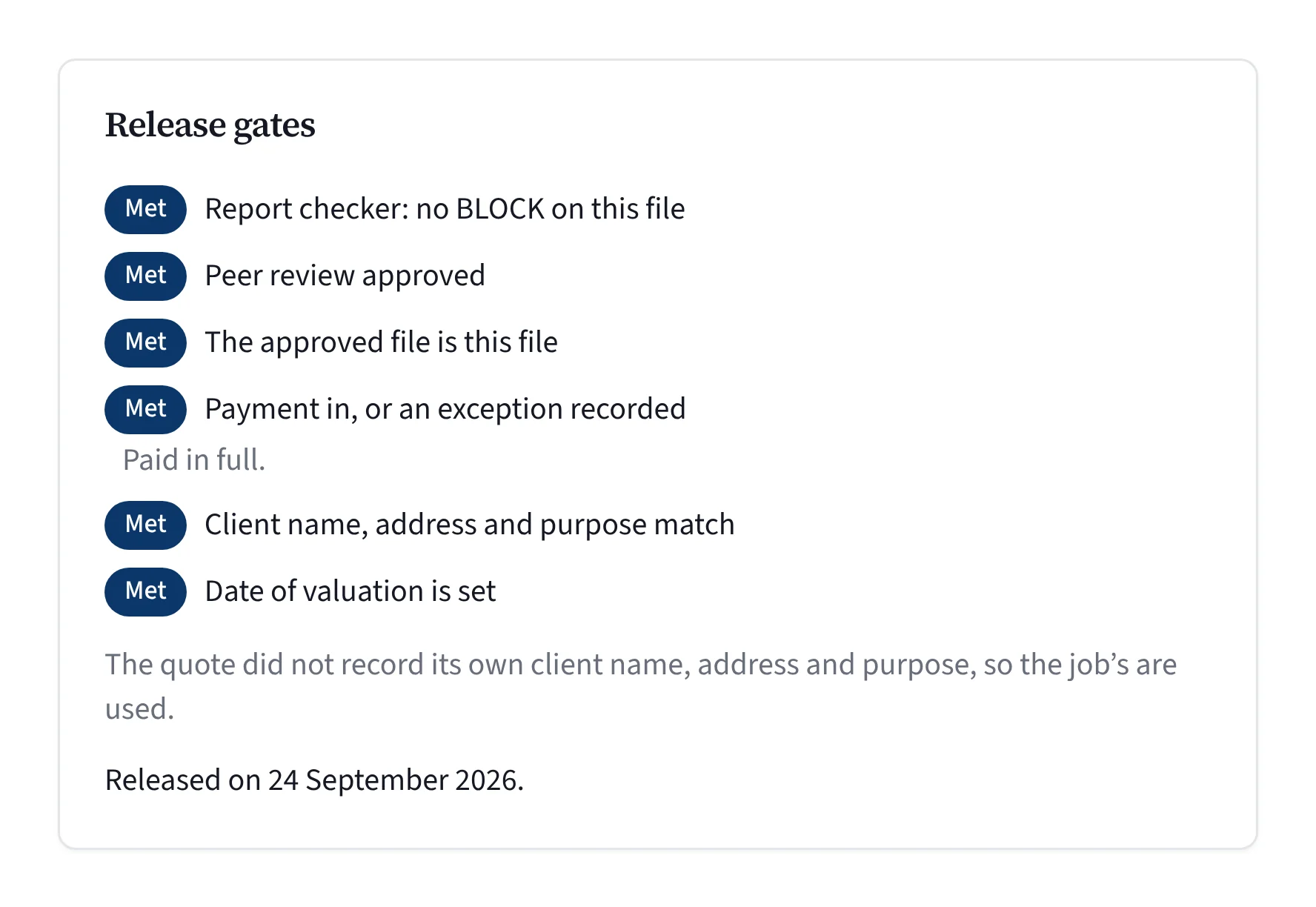
Gates in the database.
Release needs no BLOCK, an approved review, the approved file, payment or a recorded exception, and the client, address and purpose matching the job.
Release never emails
Pressing Release sends nothing. A person presses Send, and the checker and gates run again first.
Held whichever way
The gates are enforced by the database whichever way a job is moved.
Verify a released file
The certificate carries a verify code and QR code. The reader chooses the PDF, their browser works out its fingerprint, and the page says whether it matches.
Every step on the record
Who released it, when, and to whom it was sent.
Straight answers.
Does the checker tell us the value is right?
No. It checks wording and consistency, not whether a valuation is correct. Your valuer stays responsible for the value.
Can a sole valuer release a report?
Not alone. Peer review needs a second person with review permission, who can never be the valuer with carriage.
Can we release before payment?
Only if someone with permission records an exception, with a reason. The exception is on the record.
What does the verify page show?
Only whether the file matches what the firm released. It never shows the value, client, property or valuer, and the file is never uploaded.
What if our only other reviewer is away?
The report waits. Anyone in your firm with review permission, other than the valuer with carriage, can review it, and there is no way around the review.
Does this cover our PI and professional obligations?
No software does that. Valufield keeps a record of the checks, the review and the exact file released. The opinion of value and your professional obligations stay with your valuers.
See it on a job like yours.
Tell us about your firm and we will show you Valufield on your kind of work, including what is released today and what is still in build. The form takes about a minute, and a person replies.
- We reply to arrange a time.
- We walk through the product on your kind of work.
- You decide, with no obligation.
Rather email? support@valufield.com.au