
Valuation software setup Set up with you, by hand.
We are setting up each firm ourselves while we get this right, so nobody is left alone with a blank screen. Here is what happens, and what to have ready.
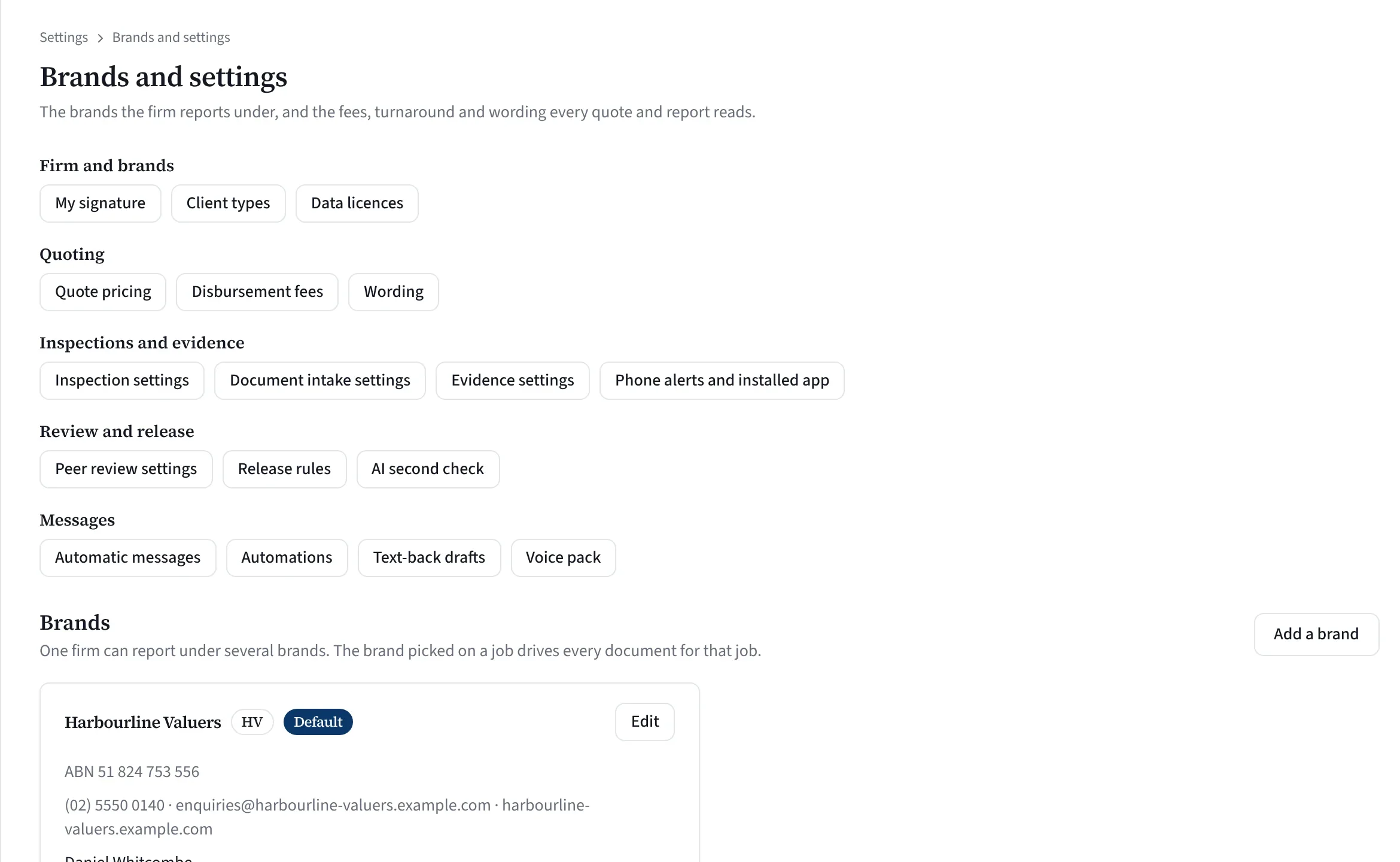
What to look at
- Every setting in one place
- Quote pricing, fees and wording
- Automatic messages and voice pack
- Each brand with its own details
A real screen from Valufield, shown with an invented firm. Nothing is mocked up.
From demo to your next job.
We go at your pace, and you can see and change every setting we enter.
Book a demo
Tell us about your firm and the work you do. We walk through a job like yours and answer the hard questions honestly.
Your brands
Name, ABN, legal-entity line, letterhead, logos, contacts, sign-off and job-reference prefix for each brand.
Your fees and wording
Fee rules, disbursements, turnaround bands and quote wording, entered as settings you can change later.
Word masters and report types
A Word master for each brand, made from the Valufield master, and the report types you use.
Your team and history
Your team with the roles they need, and past jobs and clients from a CSV or spreadsheet if you want them.
Run the next job
Take your next enquiry through Valufield, from first email to paid invoice, beside the software you use today if you like.
Have these to hand.
None of it is needed on day one; each piece makes the setup closer to how you work.
- Brand details Each brand’s name, ABN, legal-entity line, contacts and job-reference prefix.
- Artwork Logos for light and dark backgrounds and any cover images, as PNG or JPEG up to 5 MB each.
- Your fee sheet Base fees by property class, travel, loadings, reductions and turnaround.
- A report you send today So your Word master looks like your reports already do.
- Your team Who values, who reviews, who runs the office and who does the books.
- Past jobs and valuer details Optional: a CSV or spreadsheet of past jobs, and each valuer’s memberships, PI cover and CPD.
You stay in charge.
Every setting is yours
Everything we enter is a setting you can see and change.
Try it with sample jobs
Load fictional sample jobs to try the board before your own work goes in.
Side by side
Run Valufield beside the report software you use today, for the types it covers.
Two valuers for release
Peer review needs a second person with review permission before a report can be released.
NSW-first templates
Report passages for other states are filled only where we hold a source; the rest stay open fields.
A guided start for each role
Principal, valuer, reviewer, office manager and bookkeeper each get their own first steps when they sign in.
Straight answers.
How long does setup take?
It depends on how many brands, fee rules and report types you have, and we agree the plan with you in the demo. You can start with one brand and the report types you use most, and your first job can run before your past jobs are in.
Do we have to import our past jobs?
No. It is optional. If you do, the file is read in your browser and not kept, and the jobs sit under Past jobs, off the live board.
How much does setup cost?
Pricing is a conversation for now. Book a demo and we will go through what your firm needs.
See it on a job like yours.
Tell us about your firm and we will show you Valufield on your kind of work, including what is released today and what is still in build. The form takes about a minute, and a person replies.
- We reply to arrange a time.
- We walk through the product on your kind of work.
- You decide, with no obligation.
Rather email? support@valufield.com.au