
Valuation quotes and invoices Quoted from your rules. Paid into your account.
Fees are settings you edit, not code. The quote shows how the fee was built, a person sets the final figure, and the client accepts online. Acceptance raises a draft invoice, which is never sent on its own.
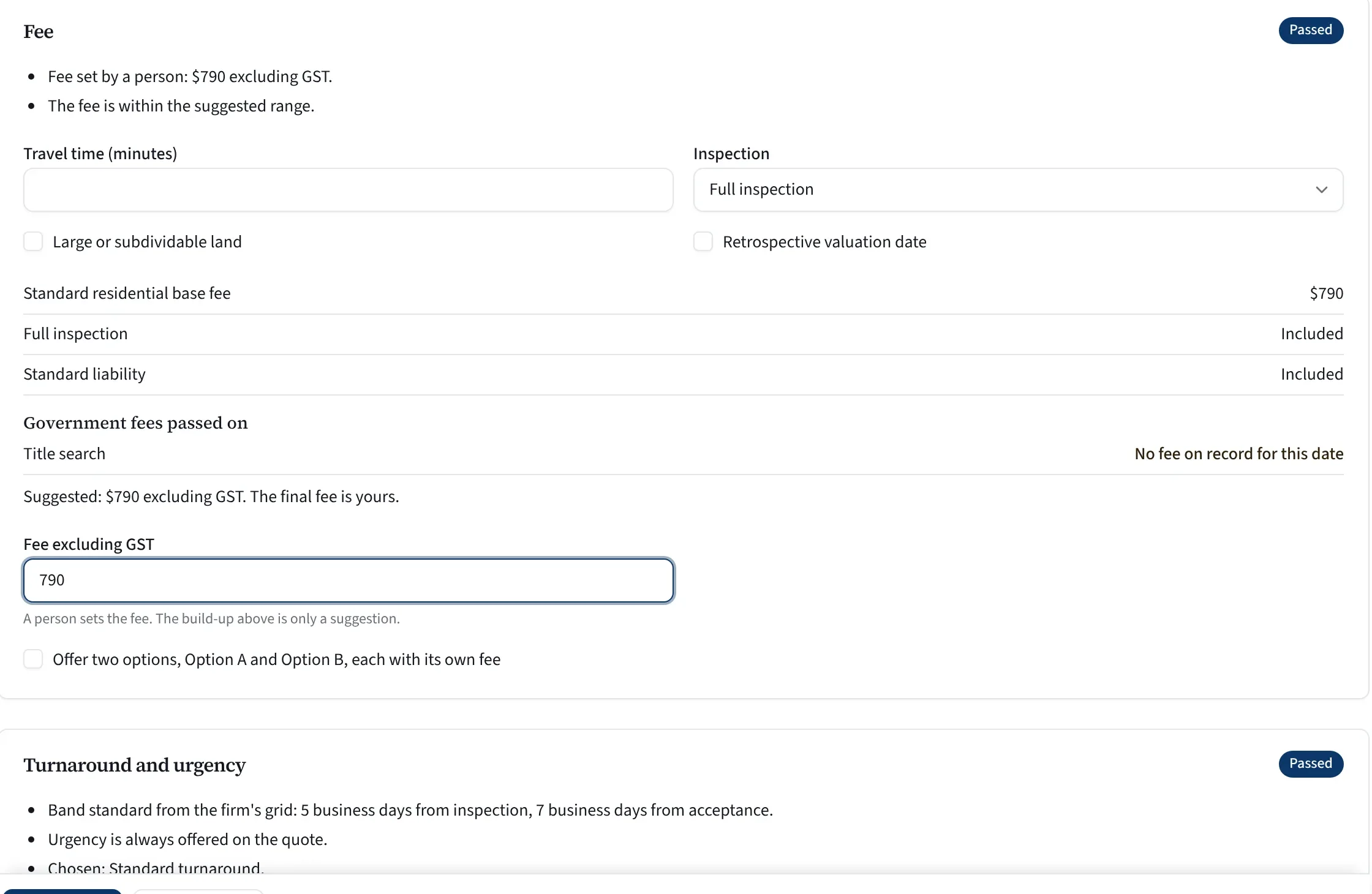
What to look at
- Who set the fee, said plainly
- Each part says whether it passes
- The build-up from your fee rules
- The final fee is a person’s
- Turnaround from your own bands
A real screen from Valufield, shown with an invented firm. Nothing is mocked up.
Your fee sheet, as settings.
Money is held in dollars and cents with its currency, and GST comes from your firm’s tax rate.
Your fee rules
Base fees by property class, travel, extra tenancies, large land, kerbside and desktop reductions, urgency loadings and turnaround bands.
Dated disbursements
Title searches, certificates and body corporate records from a dated official fee schedule you can override.
Option A and Option B
Offer two options, each with its own fee.
Wording per brand
Each report type and brand carries its own quote wording and terms.
Accepted, on the record.
A typed name and a tick box, with what was accepted recorded beside it.
A person sends the quote
They prepare the email, with the accept link and PDF if they tick them, and press Send.
The client accepts
They read it, type their full name and tick. The name, the time in your time zone, the IP address, the browser and a fingerprint of what they read (a code that changes if one character changes) are recorded.
A draft invoice
Acceptance raises a draft invoice. It is never sent on its own.
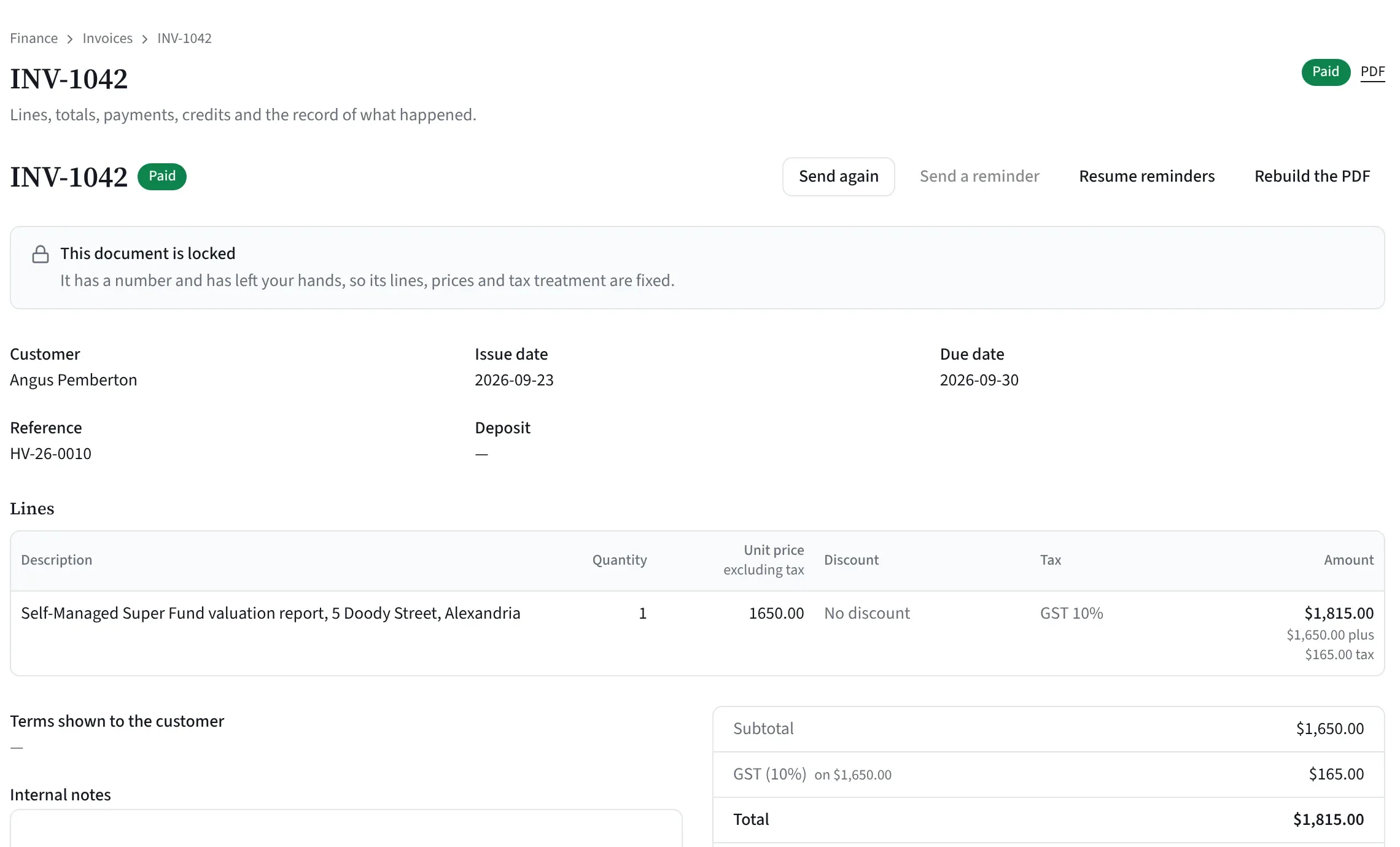
From invoice to paid.
Deposits on forward dates
A job valued at a future date gets a suggested deposit that a person confirms.
Card into your Stripe
Clients pay by card on a secure page into your firm’s own Stripe account, once you connect it. Stripe’s card fees apply.
More ways to pay
PayTo, BECS Direct Debit, Afterpay and Zip can sit on the same page if you tick them and they are on in your Stripe account.
Tax invoices with GST
With your ABN, plus credit notes and refunds when you need them.
Payment and release
A payment against the job meets the release gate. A refund after release closes it again.
Good to know: card payments need your Stripe account connected and the platform’s Stripe Connect account live. Ask us where that stands for your firm.
Straight answers.
Is online acceptance an e-signature?
It is a typed name with a tick box, with the details above recorded. It is not a drawn signature or a certified e-signature product.
Does Valufield set our fees?
No. A person sets every fee. The build-up from your rules is only a suggestion.
Is the fee shown with GST?
The accept page shows the fee excluding GST, and the PDF says plus GST. The tax invoice shows the GST.
How long does a quote link last?
It answers once, and stops when it expires (at most 60 days), when a newer version is sent, or when the job moves on, goes on hold or is withdrawn.
Does it sync with our accounting software?
Not today. Invoices, payments, credit notes and refunds live in Valufield. Ask us about accounting connections.
See it on a job like yours.
Tell us about your firm and we will show you Valufield on your kind of work, including what is released today and what is still in build. The form takes about a minute, and a person replies.
- We reply to arrange a time.
- We walk through the product on your kind of work.
- You decide, with no obligation.
Rather email? support@valufield.com.au